
Description
WiFiPhoto is a comprehensive image processing and batch export toolkit that goes beyond simple photo transfers. Build custom templates to resize, convert formats, add timestamps or watermarks, then process hundreds of photos simultaneously. Share results via Wi-Fi to any browser, AirDrop, Files, Mail, or save directly to the Photo Library.
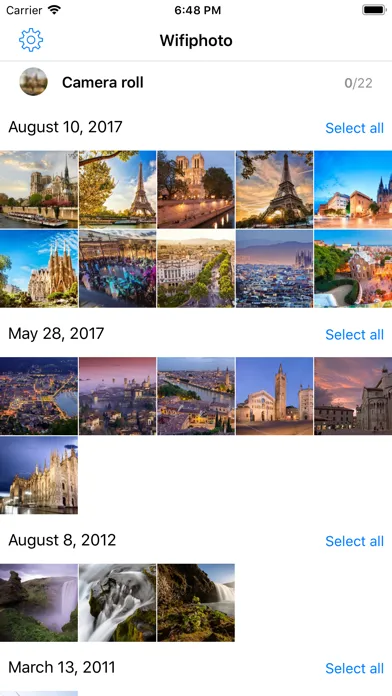
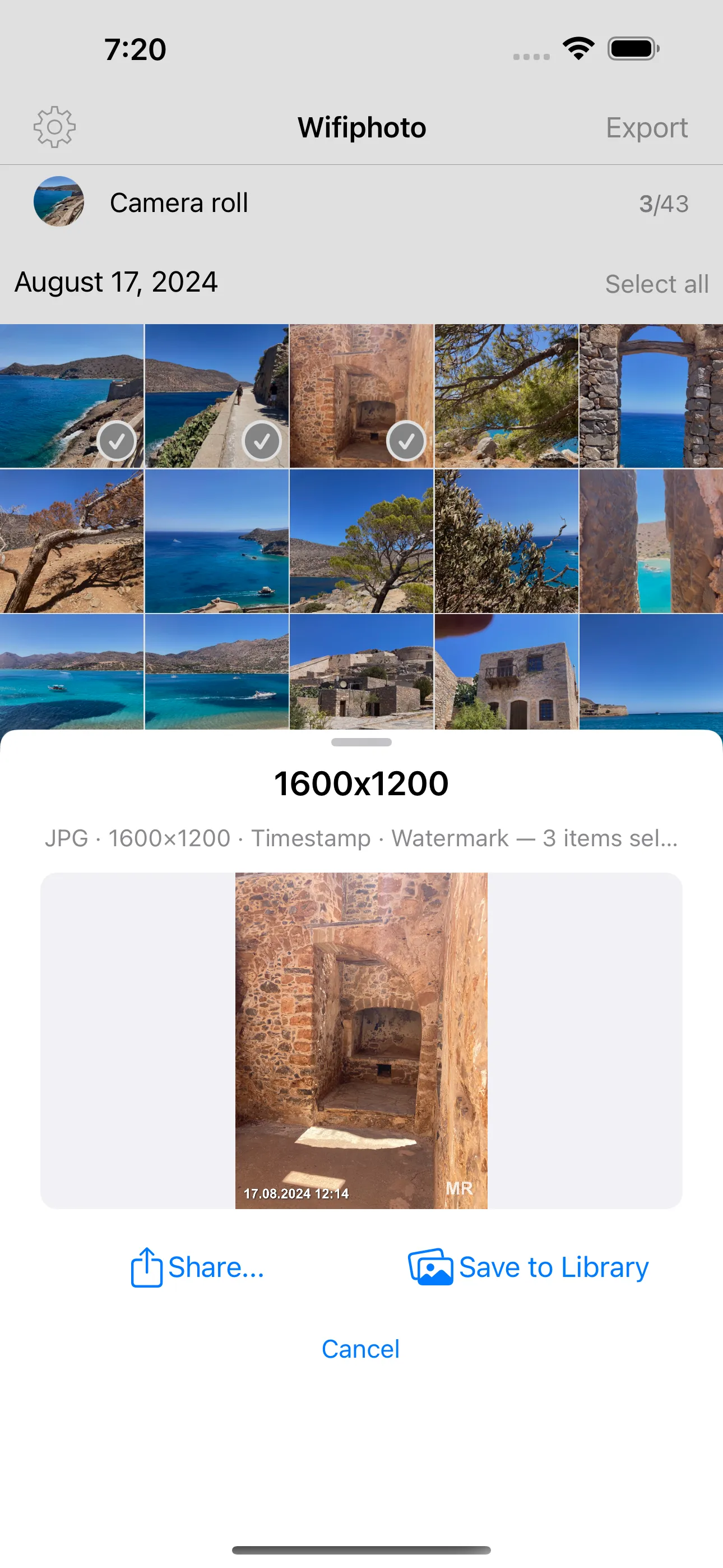
Create export templates with format conversion (JPEG/PNG), resizing, timestamp and watermark overlays, then batch-process your selections with a live preview before committing. On the receiving end, scan a QR code or type a URL on your computer to download files as a zip or browse a web gallery where you can pick specific photos.
Screenshots
iPhone
Features
- Unlimited photo & video transfers and exports
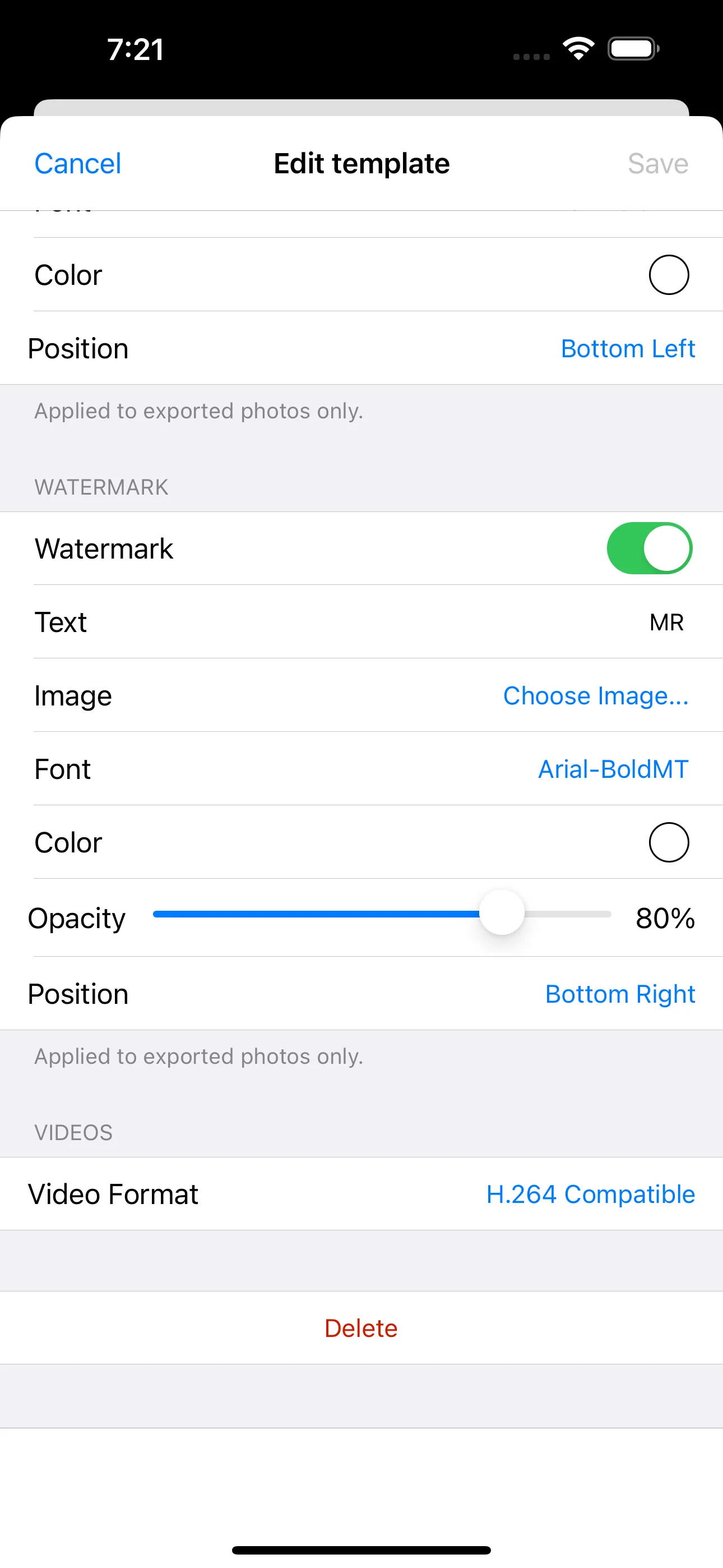
- Export templates with format conversion (JPEG/PNG), resizing, timestamps, and watermarks
- Batch-process hundreds of photos with live preview
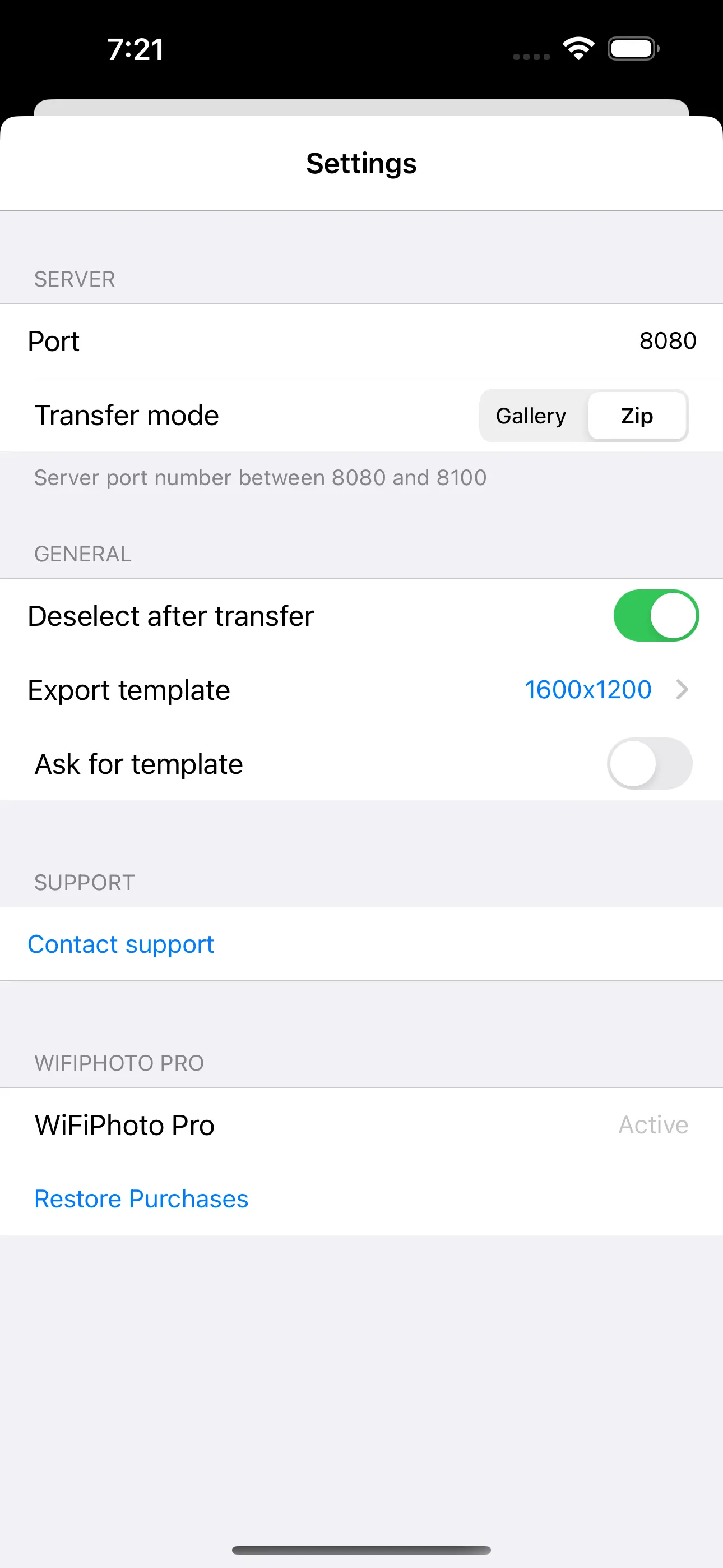
- Wi-Fi transfer: scan a QR code or type a URL to download as zip or browse a web gallery
- Two-way transfer: receive photos from any browser via drag-and-drop
- Export to Files, AirDrop, Mail, Messages, or save to Photo Library
- Metadata viewer (EXIF, GPS, camera info)
- Streaming transfers with auto-reconnect
- iPad drag & drop with haptic feedback
- Full VoiceOver accessibility
WiFiPhoto Pro — $2.99 One-Time
Unlock the full image processing toolkit with a single purchase:
- Unlimited export templates — save multiple resize/format/overlay presets
- Image resizing — scale to any resolution (e.g. 1600×1200, 4K)
- Timestamp overlay — burn capture date & time into exported photos, with configurable format, font, color, and position
- Watermark overlay — add custom text or image watermarks with adjustable font, color, opacity, and position
- Custom filename patterns — rename exports with placeholders for date, index, original name, and more
- H.264 video conversion — re-encode videos for maximum compatibility
- Live Photo export — save Live Photos as separate still + video files
- Metadata stripping — remove EXIF, GPS, and camera data for privacy before sharing